
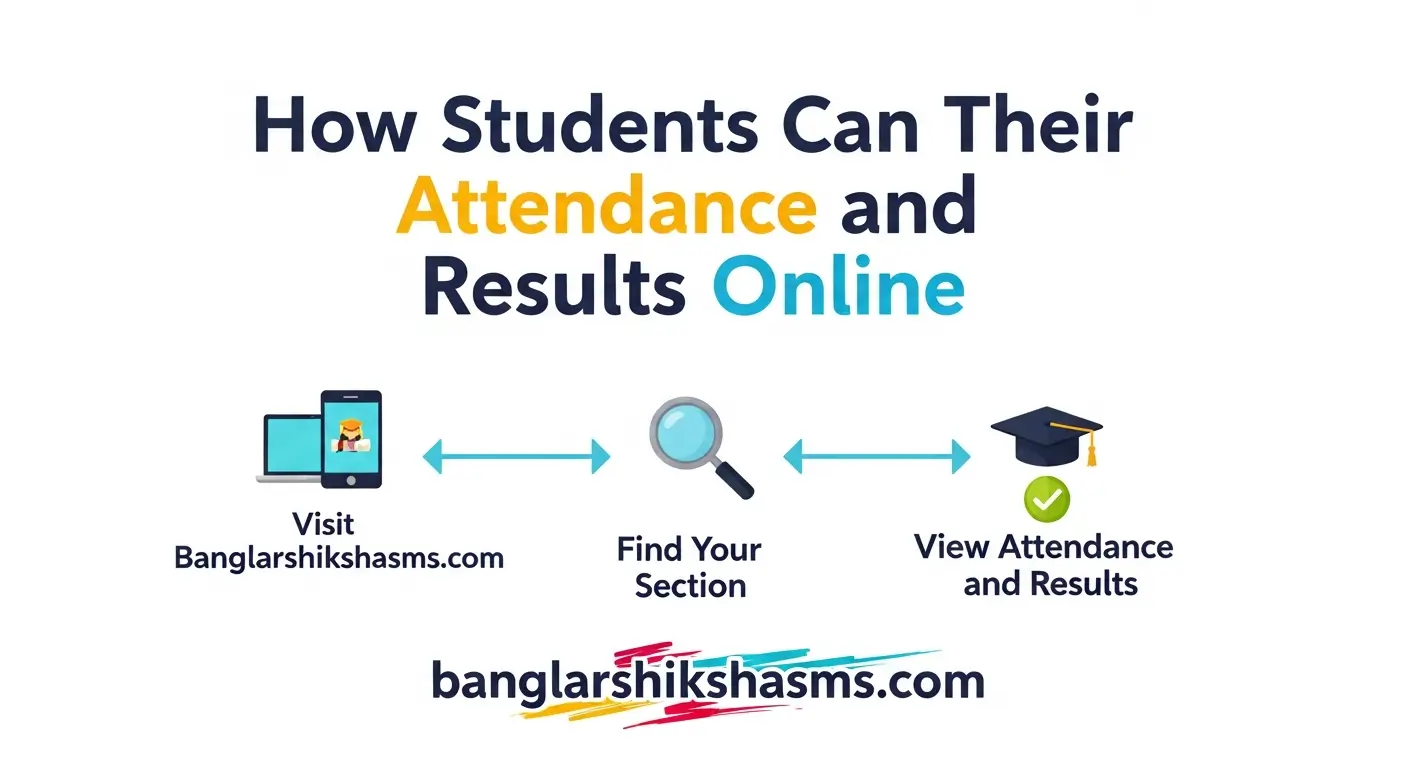
Welcome to banglarshikshasms In the fast-paced world of education today, technology has transformed how we manage academic records. Students can view their attendance and results online with just a few clicks, making it easier than ever to stay on top of their progress. This shift to digital platforms not only saves time but also empowers learners to take charge of their educational journey. Whether you are in high school or pursuing higher studies, understanding these tools can help you avoid surprises and plan better for the future.
Education systems worldwide have embraced online methods to track and share student data. This means no more waiting in lines or flipping through paper records. Instead, secure websites and apps provide instant access to vital information, fostering a more transparent and efficient learning environment.
The Rise of Digital Academic Management
The transition to online systems began as institutions sought ways to streamline administrative tasks. By allowing students to view their attendance and results online, schools reduce paperwork and errors that often occur with manual methods. This digital approach also encourages regular monitoring, which can lead to improved performance over time.
Many educational bodies now use centralized databases where data is updated in real-time. For instance, teachers mark attendance during classes, and it reflects immediately on the student’s profile. Results from tests or exams are uploaded shortly after grading, ensuring timeliness and accuracy in the information provided.
This evolution reflects broader trends in technology integration within education. It aligns with the need for accessibility, especially for students in remote areas or those with busy schedules. Overall, these systems promote accountability and help build a culture of proactive learning.
Embracing online portals is like having a personal academic dashboard at your fingertips, ready whenever you need it.
Read Also: Parents’ Guide | How to Check Student Updates on Banglar Shiksha Portal
Benefits of Viewing Attendance and Results Online
One major advantage is the convenience it offers. Students no longer need to visit administrative offices or wait for printed reports. With online access, you can check your status from home, during breaks, or even while traveling, as long as you have an internet connection.
Another benefit lies in the ability to track progress continuously. By regularly reviewing attendance, students can identify patterns, such as frequent absences, and address them before they impact grades. Similarly, seeing results online allows for immediate feedback, helping learners adjust their study habits accordingly.
Parents and guardians also gain from this transparency. They can monitor their child’s performance without relying solely on school communications. This collaborative aspect strengthens the support system around the student, leading to better outcomes in education.
Essential Requirements for Online Access
To begin viewing your attendance and results online, you need a few essentials. First, ensure you have a reliable device, such as a smartphone, tablet, or computer. An internet connection is crucial, preferably stable to avoid interruptions during login or data loading.
Next, obtain your login credentials from your institution. These typically include a username, often your student ID or roll number, and a password. If it’s your first time, you might need to register or activate your account through an email or SMS verification process.
Finally, familiarize yourself with the platform’s interface. Most systems have user-friendly designs, but taking a moment to explore menus and sections can save time later. Remember to keep your credentials secure to protect your personal information.
Step-by-Step Guide to Accessing Student Portals
Starting with the basics, locate your institution’s official website. Look for a section labeled “Student Login” or “Portal Access.” Entering this area is the gateway to viewing your attendance and results online.
Once on the login page, input your credentials carefully. If you encounter an error, double-check for typos or caps lock issues. After successful login, navigate to the dashboard, where links to attendance and results are usually prominent.
For attendance, select the appropriate tab to see detailed records. This might include daily logs, percentage calculations, and any remarks from instructors. Take note of any thresholds for minimum attendance required by your institution.
Logging in is the first step; exploring the portal unlocks a world of academic insights.
Viewing Attendance Records in Detail
Attendance tracking online often provides more than just a simple count. You can filter views by date, subject, or semester, offering a comprehensive overview. This feature helps students pinpoint specific days of absence and understand their implications.
Some portals even generate reports or graphs showing trends over time. For example, a pie chart might illustrate present versus absent days. Using these visuals, students can set goals to improve their attendance rates.
If discrepancies arise, such as unmarked attendance, contact your teacher or admin promptly. Most systems allow for corrections within a certain timeframe. Regular checks ensure your records remain accurate and up-to-date.
How to Interpret Attendance Percentages
Understanding the percentage is key when you view attendance online. It’s usually calculated as the ratio of days attended to total days possible. Institutions set minimum percentages, often around 75 percent, for eligibility in exams or activities.
Low percentages might trigger warnings or notifications via email. Pay attention to these alerts to avoid penalties. By monitoring this metric, students can balance academics with other commitments effectively.
Variations exist across institutions; some factor in late arrivals or partial attendance. Always refer to your school’s policy handbook for specifics. This knowledge empowers you to maintain compliance and focus on learning.
Checking Exam Results Online
Shifting to results, the process mirrors attendance access but focuses on performance data. After logging in, head to the “Results” or “Grades” section. Here, you’ll find scores from recent assessments, complete with breakdowns if available.
Results might be displayed in various formats, such as tables showing subject-wise marks or cumulative GPAs. Take time to review feedback or comments from evaluators. This insight can guide your preparation for future tests.
If results are pending, the portal often indicates expected release dates. Patience is important, but checking periodically keeps you informed. Celebrate achievements and use lower scores as motivation for improvement.
Online results aren’t just numbers; they’re roadmaps to academic growth and success.
Understanding Grading Systems in Online Portals
Grading varies by institution, from letter grades like A-F to numerical scales out of 100. Online portals clarify these by providing legends or explanations. Familiarize yourself with accurately gauging your performance.
Some systems include weighted averages, where certain assessments carry more value. Viewing these details online helps in calculating overall standings. Use this information to set realistic goals for the next evaluation cycle.
International students might encounter different systems, such as CGPA or ECTS credits. Portals often convert these for clarity. Understanding these nuances ensures you’re not caught off guard by your results.
Mobile Apps for Viewing Attendance and Results
Many institutions offer dedicated mobile applications to view attendance and results online. Download the app from official app stores to ensure authenticity. Once installed, log in using the same credentials as the web portal.
Apps provide push notifications for updates, like new results postings or attendance alerts. This real-time feature is particularly useful for busy students. Features might include offline viewing if data is synced beforehand.
User interfaces on apps are optimized for smaller screens, with intuitive navigation. Swipe through sections or use search functions for quick access. Integrating apps into your daily routine enhances academic management.
Comparing Web Portals and Mobile Apps
Web portals offer comprehensive views on larger screens, ideal for detailed analysis. They might include advanced tools like export options for records. However, they require a browser and a stable connection.
Mobile apps excel in portability and instant alerts. They’re perfect for quick checks between classes. Yet, they may have limited features compared to full web versions.
Choosing between them depends on your needs. Many students use both for a complete experience. This dual approach maximizes the benefits of viewing attendance and results online.
Integrating Calendar Features for Better Tracking
Some portals integrate calendars showing class schedules and exam dates. Aligning these with attendance views helps plan. Mark important dates to avoid missing sessions.
Notifications can remind you of upcoming assessments, linking directly to results sections post-event. This integration streamlines your academic life. Utilize these tools to stay organized and proactive.
Advanced calendars might allow syncing with personal devices. This ensures seamless access across platforms. Overall, it transforms how students manage their time effectively.
Technology bridges the gap between planning and performance, making education more manageable.
Common Challenges When Accessing Online Records
Technical glitches can occur, such as slow loading times during peak hours. Patience or trying at off-peak times often resolves this. Ensure your browser is updated for compatibility.
Forgotten passwords are another hurdle. Use the “Forgot Password” feature, which typically sends a reset link via email. Set up security questions during initial registration for easier recovery.
Inaccurate data might appear due to entry errors. Report these promptly to the relevant department. Regular verification prevents small issues from escalating.
Solutions for Connectivity Issues
Poor internet can hinder access. Use public Wi-Fi hotspots or mobile data as alternatives. Downloading apps reduces dependency on constant connectivity for basic views.
For regions with unstable networks, institutions sometimes offer SMS-based updates. Inquire about such options. Building habits around reliable access points ensures consistency.
Educate yourself on basic troubleshooting, like clearing the cache. These steps empower you to overcome barriers independently. Persistence pays off in maintaining access.
Dealing with Account Security Concerns
Security is paramount when viewing sensitive data online. Use strong, unique passwords and enable two-factor authentication if available. Avoid public computers for logins to prevent risks.
If you suspect unauthorized access, change passwords immediately and report to admins. Portals often have activity logs to check for anomalies. Staying vigilant protects your information.
Institutions implement encryption and regular audits for safety. Trust these measures while practicing good habits. This balance ensures worry-free usage.
The Role of Parents in Online Academic Monitoring
Parents can often access portals with separate logins. This allows them to view attendance and results online alongside their child. It fosters open discussions about performance.
Encourage parental involvement by sharing portal features. They can set up alerts for low attendance or results. This support system boosts student motivation.
However, respect privacy boundaries. Use access for guidance, not micromanagement. Healthy involvement leads to better educational outcomes.
Parental oversight through online tools strengthens the home-school connection for student success.
Educating Guardians on Portal Navigation
Guardians new to technology might need guidance. Start with simple tutorials on logging in and basic navigation. Demonstrate how to view key sections like attendance.
Provide step-by-step instructions or institution-provided guides. Practice sessions can build confidence. Empowered guardians contribute more effectively to education.
Address common fears, like data privacy. Explain built-in safeguards. This education enhances overall family engagement in academics.
Privacy Policies in Educational Portals
Institutions adhere to strict privacy laws when handling student data. Portals outline these in terms of service agreements. Read them to understand data usage and sharing.
Data is typically shared only with authorized personnel. Students control access through settings. Awareness of these policies promotes trust in the system.
Report any privacy concerns to compliance officers. Regular updates to policies reflect evolving standards. Staying informed protects your rights.
Best Practices for Data Security
Beyond institutional measures, personal practices matter. Log out after sessions, especially on shared devices. Update passwords periodically.
Avoid sharing credentials with peers. Use antivirus software on your devices. These habits minimize risks when viewing attendance and results online.
Educate yourself on phishing scams targeting students. Recognize suspicious emails requesting login details. Vigilance is your best defense.
The Impact of Online Access on Student Motivation
Easy access to records encourages self-reflection. Seeing progress online motivates students to maintain high attendance. Positive results reinforce good habits.
Conversely, identifying weaknesses prompts action. This feedback loop drives improvement. Overall, it cultivates a growth mindset in learners.
Institutions report higher engagement with digital tools. Students feel more in control of their education. This empowerment leads to long-term success.
Fostering Accountability Through Digital Records
Online viewing promotes responsibility. Students can’t ignore poor attendance when it’s readily visible. This accountability reduces truancy rates.
Teachers benefit too, with accurate data for interventions. Collaborative efforts enhance the learning environment. Digital records thus support holistic development.
Parents appreciate the transparency, leading to timely support. Everyone involved gains from this shared access. It’s a win-win for education.
Digital access turns passive learners into active participants in their educational story.
Global Variations in Online Educational Systems
Different countries adopt varied platforms for online access. In some regions, government-mandated portals unify data across institutions. Others rely on institution-specific systems.
Adapt to local norms by learning regional terminology. For example, “marks” versus “grades.” Understanding these differences aids international students.
Exchange programs highlight these variations. Prepare by researching host institution portals. This ensures smooth transitions in viewing records.
Adapting to International Standards
Studying abroad requires familiarity with new systems. Request orientations on portals upon arrival. Compare features to your home system for easier adaptation.
Language barriers might exist; look for multilingual options. Use translation tools if needed. Persistence ensures you stay informed.
Cultural attitudes toward attendance vary. Online access helps align with expectations. Embrace these differences for an enriching experience.
Future Trends in Digital Academic Records
Emerging technologies like AI could personalize portal experiences. Predictive analytics might forecast attendance impacts on results. This innovation enhances user engagement.
Blockchain for secure, tamper-proof records is on the horizon. It ensures data integrity across platforms. Students benefit from verifiable credentials.
Integration with virtual reality for immersive reviews is possible. Imagine visualizing attendance patterns in 3D. These advancements promise exciting developments.
Preparing for Technological Advancements
Stay updated on institution announcements for upgrades. Participate in beta testing if offered. Early adoption gives you an edge.
Learn basic tech skills to navigate changes. Online tutorials abound for common platforms. Preparedness eases transitions.
Embrace lifelong learning in technology. It complements academic pursuits. Future-ready students thrive in evolving landscapes.
Case Studies: Successful Implementation of Online Portals
Consider a high school that switched to online systems. Attendance rates improved by 15 percent due to easy monitoring. Students reported higher satisfaction with quick result access.
In a university setting, portals reduced administrative queries by half. Faculty focused more on teaching. This efficiency boosted overall institutional performance.
Community colleges benefit similarly, with flexible access for part-time students. Success stories inspire wider adoption. Learn from these to maximize your portal use.
Lessons Learned from Early Adopters
Early implementations faced resistance due to tech fears. Training programs addressed this, leading to acceptance. Patience during rollouts is key.
Data accuracy improved over time with user feedback. Continuous refinement enhances systems. Contribute suggestions for better experiences.
Scalability challenges in large institutions were overcome with cloud solutions. Reliable access became standard. These lessons guide future developments.
Customizing Your Portal Experience
Many portals allow personalization, like dashboard layouts. Arrange sections for quick attendance and results views. This tailoring saves time.
Set preferences for notifications, such as email alerts for updates. Customize frequency to avoid overload. Personalized portals feel more user-friendly.
Explore add-ons if available, like integration with study apps. These enhancements enrich your academic toolkit. Make the portal work for you.
Utilizing Analytics for Personal Growth
Advanced portals offer analytics on performance trends. Analyze attendance correlations with results. Insights drive strategic improvements.
Set benchmarks based on data. Track progress toward goals. This data-driven approach fosters excellence.
Share anonymized insights with peers for group motivation. Collective growth strengthens communities. Analytics transform raw data into actionable knowledge.
Collaborative Features in Student Portals
Some systems include forums or chat for queries. Discuss attendance policies with admins online. This interaction clarifies doubts swiftly.
Group views for project teams show collective attendance. Ensures accountability in collaborations. Features like these build teamwork skills.
Feedback mechanisms allow rating portal usability. Contributions shape improvements. Engage actively for a better system.
Enhancing Accessibility for Diverse Needs
Portals often include accessibility options, like screen readers. Ensure compatibility for visually impaired students. Inclusive design benefits all.
Multilingual support aids non-native speakers. Translate interfaces as needed. Diversity in access promotes equity.
Mobile optimization ensures usability on various devices. Test for responsiveness. Accessible portals level the playing field.
The Environmental Impact of Digital Records
Shifting online reduces paper usage significantly. Less printing means fewer trees cut down. This eco-friendly approach aligns with sustainability goals.
Digital storage minimizes physical space needs. Institutions save on resources. Students contribute to green initiatives through portal use.
Encourage paperless habits in your routine. View and share records digitally. Small actions lead to big environmental wins.
Economic Benefits for Institutions and Students
Cost savings from reduced admin staff time are notable. Funds are redirected to educational enhancements. Students benefit indirectly from better facilities.
Affordable access via free portals levels opportunities. No need for costly travel to check records. Economic efficiency supports broader education access.
Long-term, digital skills gained prepare for the job market. Tech-savvy graduates excel. Investments in portals yield high returns.
Training Resources for New Users
Institutions provide tutorials or videos on portal use. Watch these for step-by-step guidance. Master basics quickly.
Peer mentoring programs pair experienced students with newcomers. Learn tips for efficient viewing. Community support accelerates adaptation.
Online FAQs address common queries. Search for specific issues. Resources empower independent navigation.
Overcoming Initial Resistance to Change
Change can be daunting, but the benefits outweigh concerns. Start with small interactions, like daily attendance checks. Build comfort gradually.
Share positive experiences with skeptical peers. Demonstrate ease of use. Collective adoption eases transitions.
Focus on long-term gains, like time saved. Resistance fades with familiarity. Embrace change for growth.
Integrating Online Records with Study Planning
Use attendance data to schedule study sessions. Avoid cramming by addressing gaps early. Balanced planning reduces stress.
Results inform subject focus areas. Allocate time proportionally. Integrated planning optimizes efforts.
Tools like planners sync with portals. Automate reminders based on data. Streamlined routines enhance productivity.
The Psychological Benefits of Instant Access
Immediate feedback reduces anxiety around performance. Knowing your status online provides peace of mind. Mental well-being improves.
Achievement visibility boosts confidence. Celebrate small wins digitally. Positive reinforcement motivates continued effort.
Transparency minimizes surprises, fostering stability. Students feel more secure in their paths. Psychological perks are invaluable.
Community Building Through Shared Platforms
Portals connect students beyond records. Announcement sections share events. Engage in campus life digitally.
Discussion boards on academic topics build networks. Collaborate on studies. Community features enrich experiences.
Alumni access sometimes persists, maintaining ties. Lifelong connections form. Platforms extend beyond current enrollment.
Evaluating Portal Effectiveness
Assess usability by timing tasks. Quick access indicates efficiency. Provide feedback for enhancements.
Compare pre- and post-digital experiences. Note improvements in management. Evaluations guide personal and institutional growth.
Surveys often gauge satisfaction. Participate to voice opinions. Effective portals evolve with user input.
Scaling Online Systems for Large Institutions
Large universities handle high traffic with robust servers. Ensure uptime during result releases. Scalability maintains reliability.
Distributed access points reduce bottlenecks. Global students benefit from localized servers. Scaling supports inclusivity.
Ongoing maintenance prevents disruptions. Trust in system stability grows. Large-scale success inspires smaller entities.
Innovations in User Interface Design
Modern designs prioritize intuition. Minimalist layouts reduce clutter. Easy navigation enhances user satisfaction.
Touch-friendly elements for mobiles. Gesture-based controls simplify use. Innovations make portals inviting.
User testing refines interfaces. Incorporate diverse feedback. Design evolution keeps pace with needs.
The Role of Feedback in System Improvement
Regular surveys collect user insights. Suggest features like enhanced search. Feedback loops drive progress.
Beta features test new ideas. Volunteer to try them. Contributions shape future versions.
Appreciate improvements from past inputs. Engaged users foster better tools. Feedback is a two-way street.
Preparing for Portal Updates and Migrations
Announcements signal upcoming changes. Read notes for impacts. Prepare by backing up personal data if needed.
Tutorials accompany updates. Learn new features promptly. Adaptability ensures continuity.
Migrations to new systems involve data transfer. Verify accuracy post-switch. Preparation minimizes hiccups.
Long-Term Archiving of Academic Records
Portals store historical data for years. Access past attendance and results for references. Useful for transcripts or resumes.
Download options preserve records offline. Secure storage protects against loss. Archiving supports lifelong documentation.
Institutions maintain backups. Reliability in long-term access builds trust. Plan for future needs accordingly.
Frequently Asked Questions (FAQs):
What is a student portal, and why is it important?
A student portal is a secure online platform provided by schools, colleges, or universities where students can access their personal academic information. It is important because it allows you to view your attendance and results online quickly and conveniently. This helps you stay updated on your progress without needing to visit the office or wait for paper reports.
How do I get my login credentials for the student portal?
You usually receive your username and password during admission or from the administration office. The username is often your roll number or student ID. If you have not received them yet, contact your school or college admin department to request the details.
What should I do if I forget my portal password?
Most portals have a “Forgot Password” option on the login page. Click it, enter your registered email or phone number, and follow the instructions to reset your password. If that does not work, reach out to your institution’s IT helpdesk for assistance.
Can I view my attendance and results on my mobile phone?
Yes, many institutions offer mobile apps or mobile-friendly websites. Download the official app from your school’s website or app store, or simply open the portal in your phone’s browser. This makes it easy to check records anytime and anywhere.
Why is my attendance percentage showing lower than expected?
Attendance percentage is calculated based on the total classes held and the ones you attended. Possible reasons include unmarked classes, late arrivals counted as absent, or system errors. Check the detailed daily records and contact your teacher if you notice any mistakes.
When are exam results usually uploaded to the portal?
Results are typically uploaded a few days or weeks after the exam ends, depending on your institution’s schedule. Some portals show an expected date in the results section. Keep checking regularly or enable notifications if the portal offers them.
Can my parents also check my attendance and results online?
Many schools and colleges provide separate parent logins or allow parents to use a guardian portal. Ask your institution if this option is available and how to set it up. It helps parents stay involved in their academic progress.
Is it safe to view my records online?
Yes, student portals use secure connections and encryption to protect your data. Always log in from trusted devices, use strong passwords, and log out after use. Never share your credentials with anyone to keep your information safe.
What if the portal is not working or loading slowly?
Slow loading can happen during peak times, like result announcement days. Try again later or use a different internet connection. If the portal is completely down, your institution usually informs students through email or notices.
My institution does not have an online portal. What can I do?
Some smaller schools may still use manual systems. Speak to your teachers or principal about the possibility of introducing a digital portal. In the meantime, request printed attendance sheets or result cards from the office when needed.
Conclusion
In today’s digital era, the ability for students to view their attendance and results online has revolutionized academic management, offering unmatched convenience, transparency, and empowerment. By accessing secure portals and mobile apps, learners can monitor progress in real-time, identify areas for improvement, and maintain accountability without depending on manual processes. This technology not only saves time but also fosters motivation, enables parental involvement, and supports data-driven decisions for better performance. As educational systems continue to evolve with advanced features like analytics and enhanced security, embracing these tools prepares students for success. Ultimately, regularly checking attendance and results online equips you to take full control of your educational journey and achieve your goals confidently.
